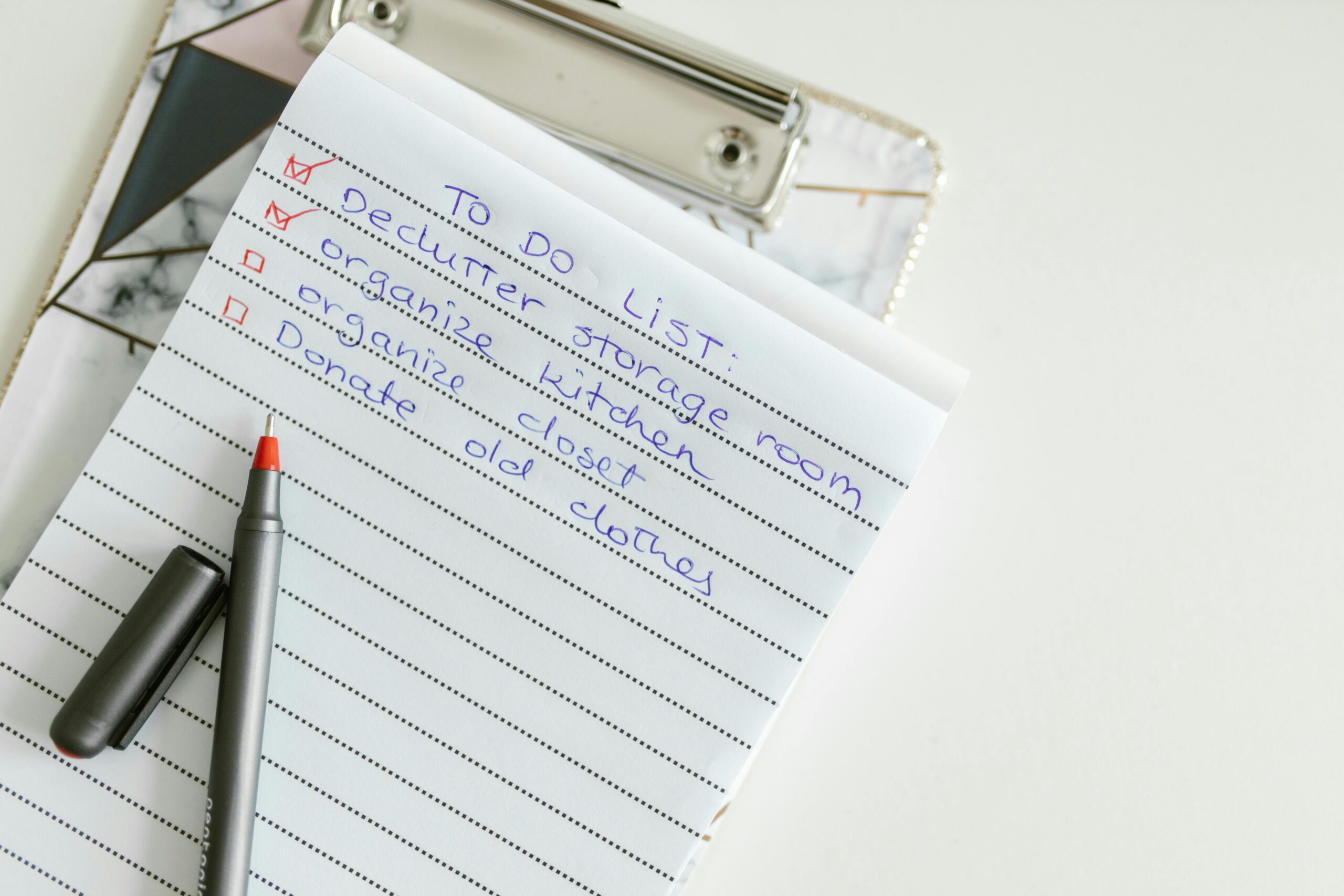
Paper clutter is one of the most overwhelming challenges in modern homes and offices. Bills pile up on counters, mail accumulates near the door, and important files disappear when you need them most.

The good news? You don’t need to live surrounded by endless stacks of paper anymore. With a strategic approach and the right systems in place, you can transform your chaotic paper situation into an organized, stress-free filing system that actually works for your lifestyle.
📋 Why Paperwork Chaos Happens (And Why It Matters)
Before diving into solutions, it’s essential to understand why paper clutter accumulates so rapidly. Most people don’t set out to create chaos—it happens gradually through daily habits and lack of systems.
Every day, new papers enter your life: bills arrive in the mail, receipts come from purchases, school notices appear in backpacks, and work documents need attention. Without designated places and processing routines, these papers simply land wherever is convenient in the moment.
The consequences extend beyond aesthetics. Lost bills lead to late fees, misplaced tax documents cause stress during filing season, and important medical records vanish when you need them urgently. The mental load of knowing there’s unprocessed paper somewhere in your home creates constant background anxiety.
🎯 The Three-Zone System for Paper Management
The foundation of conquering paper chaos lies in creating three distinct zones that correspond to the lifecycle of your documents. This system eliminates confusion about where papers belong and makes processing them almost automatic.
The Inbox Zone: Where Papers First Land
Every piece of paper entering your space needs a designated landing spot. Your inbox zone should be a single, visible location where all incoming mail, bills, and documents go immediately. This could be a tray on your kitchen counter, a basket near your entryway, or a desktop organizer in your office.
The key principle: one inbox only. Multiple collection points create confusion and make papers harder to track. Train everyone in your household to place incoming papers in this single location without exception.
The Action Zone: Processing What Needs Attention
Your action zone contains papers requiring immediate attention—bills to pay, forms to complete, invitations needing responses, and documents to review. This area should be easily accessible and checked daily or weekly depending on your volume.
Subdivide this zone if helpful: create sections for “urgent” items requiring action within 48 hours and “this week” items with slightly more flexibility. Never let papers sit in the action zone longer than two weeks, or they transform into clutter.
The Archive Zone: Long-Term Storage
Once papers have been processed and acted upon, many still need retention for legal, tax, or reference purposes. Your archive zone is the permanent home for these documents, organized systematically for easy retrieval.
This zone should be less accessible than your daily-use areas—a filing cabinet, storage boxes, or drawer system works well. The goal is secure, organized storage that you access occasionally rather than daily.
✂️ The Ruthless Declutter: What to Keep and What to Toss
Before organizing, you must reduce volume. Most households keep far more paper than necessary, storing documents that serve no legal or practical purpose.
Keep These Documents (And for How Long)
Understanding retention requirements prevents both premature disposal and unnecessary hoarding. Different document types have different lifespans based on legal and practical needs.
| Document Type | Retention Period | Why |
|---|---|---|
| Tax returns and supporting documents | 7 years | IRS audit period |
| Medical records | Permanent | Ongoing healthcare needs |
| Property records and home improvement receipts | Until property sold + 7 years | Capital gains calculations |
| Investment statements | Until sold + 7 years | Tax reporting |
| Insurance policies | Current + 1 year after expiration | Proof of coverage |
| Utility bills | 1 year | Dispute resolution |
| Bank statements | 1 year (7 if self-employed) | Reconciliation and tax support |
| Credit card statements | 1 year | Purchase verification |
Shred These Without Guilt 🗑️
Many papers can be eliminated immediately, freeing significant space and reducing mental clutter. If a document falls into these categories, it’s safe to dispose of it:
- Receipts for everyday purchases (unless needed for returns or warranty claims)
- Expired coupons and promotional materials
- Old magazines and newspapers (digitize important articles first)
- Duplicate statements when you have online access
- Outdated manuals for products you no longer own
- School papers and children’s artwork after photographing favorites
- Expired insurance policies with no claims potential
- Paycheck stubs once reconciled with year-end W-2
Always shred documents containing personal information—account numbers, Social Security numbers, addresses, or signatures. Identity theft risk makes this non-negotiable.
📬 The Daily Mail Routine That Prevents Pile-Up
Mail is the primary source of household paper clutter, arriving relentlessly regardless of your organizational state. The solution isn’t processing mail faster—it’s establishing a routine that prevents accumulation.
Stand near your recycling bin when opening mail. This positioning makes it effortless to immediately discard envelopes, inserts, and junk mail without them ever entering your living space. Your goal is handling each piece of mail only once whenever possible.
The Five-Minute Daily Mail Sort
Dedicate five minutes daily to mail processing. This small time investment prevents the overwhelming weekend sort-through that most people face. During your daily sort, make immediate decisions:
- Junk mail and advertisements: Directly to recycling without opening
- Bills: Open, check due date, move to action zone or schedule payment immediately
- Financial statements: Open, scan for irregularities, file or shred based on digital access
- Personal correspondence: Read and respond promptly or add to action zone
- Magazines and catalogs: Keep current issue only, recycle previous issues
If you can’t decide about a piece of mail in under 30 seconds, it goes to your action zone for detailed review later. Never create a “decide later” pile—these become permanent clutter.
Stopping Mail at the Source
Reducing incoming volume is more effective than processing faster. Take proactive steps to minimize unwanted mail:
- Opt for paperless billing and statements for all accounts
- Register with DMAchoice.org to reduce catalog and commercial mail
- Contact credit bureaus to opt out of pre-approved credit offers
- Unsubscribe from physical mailing lists using contact information on mailings
- Download digital versions of magazines when available
💰 Bill Management: Never Miss a Payment Again
Late fees, service interruptions, and credit score damage all stem from disorganized bill management. The solution combines digital tools with simple physical systems.
The Bill Calendar Method
Create a dedicated calendar—digital or physical—showing when each bill is due throughout the month. Mark payment dates three days before the actual due date to build in a safety buffer for processing time.
For households receiving primarily paper bills, consider a hanging file system with folders numbered 1-31 representing days of the month. When a bill arrives, file it under its due date. Check tomorrow’s folder each evening to process upcoming payments.
Autopay: Friend or Foe?
Automatic bill payment eliminates late fees and reduces paper, but requires careful cash flow management. The hybrid approach works best for most households:
- Always autopay: Fixed monthly bills like mortgage/rent, insurance, loan payments, and subscriptions
- Never autopay: Variable utility bills, medical bills (verify charges first), and services with promotional pricing that may change
- Autopay with alerts: Credit cards (set to full balance) with spending alerts to prevent surprises
Maintain a master list of all autopay arrangements, including which account or card is charged and when. Review this list quarterly to catch forgotten subscriptions and update payment methods.
🗂️ Creating a Filing System You’ll Actually Use
The best filing system is one simple enough that you’ll maintain it consistently. Complexity leads to abandoned systems and returned chaos.
The Broad Category Approach
Instead of dozens of hyper-specific folders, create 10-15 broad categories that capture your document types. Most households need only these categories:
- Financial: Bank statements, investment records, loan documents
- Taxes: Returns, supporting documents organized by year
- Home: Property records, improvement receipts, warranty information
- Utilities: Electric, gas, water, internet, phone
- Insurance: Home, auto, life, health policies and claims
- Medical: Records for each family member, immunization records
- Employment: Contracts, pay stubs, benefits information
- Legal: Wills, powers of attorney, birth certificates, passports
- Vehicles: Titles, registration, maintenance records
- Education: Transcripts, diplomas, student loan documents
- Warranties: Product manuals and warranty certificates
- Reference: Information you want to keep for future use
Within each broad category, create subcategories only if you have substantial volume. For example, if you own multiple properties or vehicles, create separate folders for each within those categories.
Color Coding for Visual Organization 🌈
Color-coded folders create instant visual identification, speeding retrieval and filing. Assign colors consistently—perhaps green for financial documents, red for insurance, blue for medical records. The specific colors matter less than using them consistently.
The Front-of-Folder Technique
Place most recent documents at the front of each folder. This positioning means the information you’re most likely to need is immediately accessible without sorting through years of older papers behind it.
When folders become too thick, archive older documents to storage boxes labeled with the category and year range. Keep only the current year plus one in your active filing system.
📱 Digital Solutions for Paper Problems
Going paperless eliminates physical clutter while maintaining access to important information. The transition requires initial effort but pays ongoing dividends.
Scanning and Document Management
Modern scanning apps use smartphone cameras to create high-quality digital copies of documents. These apps automatically detect document edges, correct perspective, and enhance readability.
Establish a consistent naming convention for digital files: YYYY-MM-DD_Category_Description creates automatically sorted, easily searchable files. For example: “2024-01-15_Insurance_Auto_Policy.pdf” immediately tells you what the document contains and when it’s from.
Store digital documents in cloud services like Google Drive, Dropbox, or OneDrive for accessibility from any device and automatic backup protection. Create the same folder structure digitally that you use for physical files to maintain consistency.
What Should Stay Physical?
Despite digital advantages, some documents should remain in physical form:
- Original birth certificates, passports, and Social Security cards
- Original marriage licenses and divorce decrees
- Original property deeds and titles
- Original wills and powers of attorney
- Stock and bond certificates if held physically
Store these vital documents in a fireproof safe or safety deposit box. Create digital backup copies stored separately from the originals.
⏰ The Weekly Review: Your Maintenance Routine
Organization isn’t a one-time event—it’s an ongoing practice. Schedule a 15-minute weekly review to prevent backsliding into chaos.
During your weekly review, complete these tasks consistently:
- Empty your inbox zone completely, processing or filing every paper
- Review your action zone, completing items or reassigning priority
- Verify upcoming bills are scheduled or paid
- Purge recycling-eligible papers that accumulated during the week
- Return misfiled items to their proper locations
- Scan important documents to your digital system
Friday afternoons work well for many people—clearing paperwork before the weekend creates psychological space for relaxation. Choose whatever day and time you’ll honor consistently.
👨👩👧👦 Getting Everyone on Board
Household paper organization only succeeds when everyone participates. Family members of all ages can contribute to maintaining order.
Make your system visible and intuitive. Label everything clearly, including your inbox zone, action items, and filing categories. When systems are self-explanatory, compliance increases naturally.
For children, create age-appropriate participation: young kids can help sort recyclables, older children can file their own school papers, and teenagers can manage their own action zones for permission slips and assignments.
Hold a brief monthly family meeting to address system improvements. If papers consistently end up in the wrong places, the system needs adjustment—not more nagging.
🚀 Your 30-Day Declutter Action Plan
Implementing these systems all at once feels overwhelming. This phased approach spreads the work across a month, building sustainable habits gradually.
Week 1: Set up your three-zone system. Establish inbox, action, and archive locations. Begin daily mail processing immediately.
Week 2: Tackle your existing paper backlog. Sort everything into keep, shred, and recycle. Don’t organize yet—just reduce volume ruthlessly.
Week 3: Create your filing system. Set up broad categories, purchase necessary supplies, and file all keeper documents from Week 2.
Week 4: Go digital. Switch to paperless billing, scan important documents, and establish your cloud storage structure.
By month’s end, you’ll have functional systems and emerging habits. Continue your daily mail routine and weekly review religiously for three more months until these practices become automatic.

🎉 Living Clutter-Free: Your New Paper Reality
Imagine opening your mail without dread, knowing exactly where to find any document within seconds, and never paying another late fee due to lost bills. This isn’t fantasy—it’s the natural result of implementing these systems consistently.
Paper clutter conquered means mental space freed. You’ll spend less time searching, less energy worrying, and less money on late fees and duplicate documents. The initial investment of time and energy returns exponential dividends in reduced stress and increased efficiency.
Your organized paperwork system becomes invisible infrastructure supporting your life smoothly. Like breathing, you won’t think about it constantly—it simply works, allowing you to focus energy on what truly matters rather than managing endless paper chaos.
Start today with one simple action: establish your inbox zone and process today’s mail completely. That single step begins your transformation from chaos to control, one paper at a time.